quote

mercoledì, giugno 21, 2017

sabato, maggio 20, 2017

Ma quanto prendi al mese?

Spesso mi viene chiesto, ma quanto prendi al mese a Zurigo? Beh è una domanda a cui non si può rispondere, gli stipendi in Svizzera sono considerati strettamente confidenziali, però per avere un' idea di quanto possa guadagnare un senior software engineer a Zurigo si può fare riferimento a questo sito: payscale .

Ciò detto alcune considerazioni di base devono essere fatte.
Aspetti negativi:

- ci sono solo 12 mensilità;
- non c'è di regola il TFR;
- non esiste art. 18 quindi si può essere licenziati anche senza giusta causa.
- il pranzo a lavoro te lo paghi te, non esiste mensa gratis né buoni pasto.
- hai un' assicurazione sanitaria molto costosa da pagare ogni mese, diciamo di base circa 250 chf al mese.
- le ferie sono molto di meno rispetto all' Italia, parliamo di qualcosa come 25 giorni all' anno, anche se ci sono aziende che ne offrono anche meno, 20.
- si lavora 42 ore settimanali, rispetto alle 40 ore (?) italiane.
- last but not least, il costo della vita è esageratamente alto: affitto, ristoranti, alimentari, etc.

Aspetti positivi:

- stipendi lordi annuali molto alti;
- servizi (trasporti, pubblica amministrazione, etc) eccellenti;
- le tasse sono estremante più basse rispetto all' Italia. Approssimativamente tra tasse cantonali e federali, al netto di detrazioni e rimborsi, mi viene da dire meno del 10% sul lordo annuale, almeno se hai un permesso di lavoro di tipo C.
- se perdi il lavoro hai diritto ad un' indennità di disoccupazione pari a circa il 70% della tua retribuzione, per almeno 18 mesi.

Fatte queste considerazioni lascio a voi se conviene lavorare in Svizzera o in Italia :-)

lunedì, marzo 06, 2017

jerky movement of the mouse with ubuntu - how to fix it

$ xinput  (search for id corresponding to external mouse -> 9 )
xinput --list-props 9  
xinput --set-prop 9 "Device Accel Constant Deceleration" 2

It's also possible to calibrate acceleration and threshold by using xset command

xset q | grep -A 1 Pointer
$ xset m 18/10 0

giovedì, gennaio 26, 2017

Singleton are effectively final

Singleton classes, if properly implemented, do not need to be declared final in order to not be extended. Since all the constructors of the singleton class are private, you can't extend that class. In fact, singleton classes are effectively final.
stackoverflow

giovedì, dicembre 22, 2016

concatenate pdf files with ubunbtu


$ pdfunite ES_0818_1.pdf ES_0818_2.pdf  ES_0818_3.pdf  ex_082018.pdf

In order to remove an (unknown) password from a protected pdf use this command:
$ gs -q -dNOPAUSE -dBATCH -sDEVICE=pdfwrite -sOutputFile=unencrypted.pdf -c .setpdfwrite -f encrypted.pdf

factorial with RecursiveTask

martedì, febbraio 23, 2016

ab benchmark

$ ab -A myUsername:myPassword -n 1000 -c 1000 http://localhost:8090/api/words

http://httpd.apache.org/docs/2.4/programs/ab.html

mercoledì, febbraio 17, 2016

Restarting wireless in Ubuntu

$ sudo service network-manager restart
$ sudo nmcli nm sleep false && sudo pkill -f wpa_supplicant
http://askubuntu.com/questions/564556/cant-connect-to-wifi-after-suspend


martedì, ottobre 13, 2015

PassportJS - NodeJS login with Facebook

http://passportjs.org/
https://github.com/jaredhanson/passport-facebook/tree/master/examples/login
Create an appId and App secrete from https://developers.facebook.com/
In local development make sure you follow this http://stackoverflow.com/a/26457495/379173
I added localhost:3000 since my node js process was running on port 3000.

Installing postgresql on Ubuntu [Notes]

sudo apt-get update
sudo apt-get install postgresql postgresql-contrib
Ubuntu Software center: pgAdmin III

sudo -u postgres -s
$ psql
postgres=# ALTER USER postgres PASSWORD 'xxx';


https://www.digitalocean.com/community/tutorials/how-to-install-and-use-postgresql-on-ubuntu-14-04

http://www.linuxscrew.com/2009/07/03/postgresql-show-tables-show-databases-show-columns/

exit from psql

venerdì, settembre 25, 2015

MongoDB session


enrico@enrico-XPS13:~/mongodb$ mongo
MongoDB shell version: 3.0.6
connecting to: test

> show dbs
enrico     0.078GB
local      0.078GB
nodetest1  0.078GB
test       0.078GB
> use enrico
switched to db enrico
> for (var i=0;i<10 i="" p="" print="">0
1
2
3
4
5
6
7
8
9
> use blog
switched to db blog
> db
blog

> db.posts.insert({
... title: "My first post",
... authorName: "Alvise",
... authorEmail: "enricogiurin@gmail.com",
... pubDate: new Date
...
... });
WriteResult({ "nInserted" : 1 })
> db.posts.count()
1
> db.posts.findOne()
{
"_id" : ObjectId("5604925564958e61b7a10dda"),
"title" : "My first post",
"authorName" : "Alvise",
"authorEmail" : "enricogiurin@gmail.com",
"pubDate" : ISODate("2015-09-25T00:16:21.649Z")
}
> db.posts.insert({title: "another post", "_id": 123});
WriteResult({ "nInserted" : 1 })
> db.posts.count()
2
> db.posts.find()
{ "_id" : ObjectId("5604925564958e61b7a10dda"), "title" : "My first post", "authorName" : "Alvise", "authorEmail" : "enricogiurin@gmail.com", "pubDate" : ISODate("2015-09-25T00:16:21.649Z") }
{ "_id" : 123, "title" : "another post" }
> db.posts.find().pretty()
{
"_id" : ObjectId("5604925564958e61b7a10dda"),
"title" : "My first post",
"authorName" : "Alvise",
"authorEmail" : "enricogiurin@gmail.com",
"pubDate" : ISODate("2015-09-25T00:16:21.649Z")
}
{ "_id" : 123, "title" : "another post" }
> db.posts.insert({
... title: "My first post",
... author: {
... firstName: "Enrico",
... lastName: "Giurin",
... email: "enricogiurin@gmail.com"
... },
... tags: ["coding", "mongodb", "db"],
... pubDate: new Date
...
... });
WriteResult({ "nInserted" : 1 })
> db.posts.find().pretty()
{
"_id" : ObjectId("5604925564958e61b7a10dda"),
"title" : "My first post",
"authorName" : "Alvise",
"authorEmail" : "enricogiurin@gmail.com",
"pubDate" : ISODate("2015-09-25T00:16:21.649Z")
}
{ "_id" : 123, "title" : "another post" }
{
"_id" : ObjectId("5604946d64958e61b7a10ddb"),
"title" : "My first post",
"author" : {
"firstName" : "Enrico",
"lastName" : "Giurin",
"email" : "enricogiurin@gmail.com"
},
"tags" : [
"coding",
"mongodb",
"db"
],
"pubDate" : ISODate("2015-09-25T00:25:17.293Z")
}

> db.posts.find({title: "My fist post"});
> db.posts.find({title: "My first post"});
{ "_id" : ObjectId("5604925564958e61b7a10dda"), "title" : "My first post", "authorName" : "Alvise", "authorEmail" : "enricogiurin@gmail.com", "pubDate" : ISODate("2015-09-25T00:16:21.649Z") }
{ "_id" : ObjectId("5604946d64958e61b7a10ddb"), "title" : "My first post", "author" : { "firstName" : "Enrico", "lastName" : "Giurin", "email" : "enricogiurin@gmail.com" }, "tags" : [ "coding", "mongodb", "db" ], "pubDate" : ISODate("2015-09-25T00:25:17.293Z") }
> db.posts.find({title: "My first post"}).count()
2
> db.posts.find({title: /po/i}).count()
3
> db.posts.find({title: /pos/i}).count()
3
> db.posts.find({title: /first/i}).count()
2
> db.posts.find({title: /first/i},{title:1})
{ "_id" : ObjectId("5604925564958e61b7a10dda"), "title" : "My first post" }
{ "_id" : ObjectId("5604946d64958e61b7a10ddb"), "title" : "My first post" }
> db.posts.find({title: /first/i},{title:1, _id: 0})
{ "title" : "My first post" }
> db.posts.find({title: /first/i},{title:1, _id: 0}).pretty()
{ "title" : "My first post" }
> db.posts.find({"author.email": "enricogiurin@gmail.com"}).pretty()
{
"_id" : ObjectId("5604946d64958e61b7a10ddb"),
"title" : "My first post",
"author" : {
"firstName" : "Enrico",
"lastName" : "Giurin",
"email" : "enricogiurin@gmail.com"
},
"tags" : [
"coding",
"mongodb",
"db"
],
"pubDate" : ISODate("2015-09-25T00:25:17.293Z")
}
> db.posts.find({"author.email": "enricogiurin@gmail.co"}).pretty()
> db.posts.find({"author.email": /urin@gmail.co/}).pretty()
{
"_id" : ObjectId("5604946d64958e61b7a10ddb"),
"title" : "My first post",
"author" : {
"firstName" : "Enrico",
"lastName" : "Giurin",
"email" : "enricogiurin@gmail.com"
},
"tags" : [
"coding",
"mongodb",
"db"
],
"pubDate" : ISODate("2015-09-25T00:25:17.293Z")
}
 

sabato, giugno 20, 2015

Ubuntu - Grouping Windows taskbar

Bottom Left - Right click - Properties


giovedì, giugno 18, 2015

Avoiding CORS issues with chromium

Install 'Chromium Web Browser' in ubuntu through Ubuntu Software Center.
From any location type:

$ chromium-browser --disable-web-security &

This avoid limitations of browsers with CORS.

venerdì, giugno 05, 2015

Firefox SSL issue

Questo riepilogo non è disponibile. Fai clic qui per visualizzare il post.

venerdì, maggio 29, 2015

"Venture" Meet Suport Organizations Zurich - May 28th 2015

Here some notes, in random order, taken from the event which took place yesterday at the ETH in Zurich, subject: support for startups in Switzerland.
Question is, with all these private and government agencies,  from what to start with your idea of startup, assuming you have already it?  I feel a bit confused.

giovedì, aprile 23, 2015

Linux/Unix useful commands

  • ls | wc -l (number of files in a folder)
  • $ find . -iname 'Courses.json' -> find in the current folder and subfolders the file 'Courses.json'
  • $ grep MemTotal /proc/meminfo
  • $find . -type f -name '*.DS_Store*' -delete

mercoledì, aprile 01, 2015

git useful commands

################ git commands  ################

$ git config --global user.name "Enrico Giurin"
$ git init --> creates local repo  /users/enrico/store/.git
$ git add xxx
$ git commit -m ".." .
$ git status
$ git add --all .

branch: master
$ git add --all
creates snapshot
$ git log
##############################

$ git diff
$ git reset
$ git reset --hard - undo local changes since that revision
$ git checkout --   (blow way all changes since last commit)
$ git commit -a -m "xxx"  add & commit
$ git reset --soft HEAD               undo last commit
$ git commit --amend -m "..."         changed the last commit
$ git reset --hard HEAD^   undo last commit and all changes
$ git reset --hard HEAD^^  undo last 2 commits and all changes
$ git push
$ git pull
- origin: name of the remote repository
$ git remote add origin https.//github.com/egch/xxx
$ git remote -v
$ git push -u origin master  (origin: remote / master: local)
##############################

$ git clone
$ git clone yourName
$ git remote -v
$ git branch   (cat)
$ git checkout cat
$ git checkout master
$ git merge cat
$ git branch -d cat (removing branch cat)
$ git checkout -b admin (switch and create a new branch)
--> go back to master
$ git checkout master
(fix something in the master and now we merge the admin)
$ git merge admin
vi editor
git log ( a message log related to the merge)
##############################

$ git pull  (fetch)

$ git push
$ git commit -a -m "merged"(after merge)

<<<<< my version
>>>>> their version

##############################
$ git checkout -b shopping_cart
$ git push origin shopping_cart
$ git push
[jane] $ git pull
$ git branch
$ git branch -r (remote branches)
$ git checkout shopping_cart
$ git remote show origin
$ git push origin :shopping_cart (to delete the remote branch)
$ git branch -d shopping_cart (trying to delete local branch)
$ git branch -D shopping_cart (force to delete local branch)
$ git remote prune origin (to cleanup delete remote branches)
$ git tag (list all tags)
$ git checkout v0.0.1  (checkout code at commit)
$ git tag -a v0.0.3 -m "version" (to create a new tag)
$ git push --tags (to push the tags)

########################################
$ git log
$ git config --global color.ui true
$ git log --pretty=oneline
$ gitl log --pretty=format: "%h %ad- %s [%an]"
(ad=author date, an=author name,h=SSH hash, s=subject,d=ref names)
$ git log --online -p
$ git log --online --stat
$ git log --online --graph
$ git log --since=2000-02-02 --until=2003-10-10
$ git diff
$ git diff HEAD~5  (5 commits ago)
$ git diff master bird
$ git diff --since=1.month.ago --until=2.minutes.ago
$ git blame list.html --date short
.git/info/exlude : to esclude some files from commit
pattern: logs/*.log
.gitignore  (logs/*.log)
$ git rm README.txt
$ git rm --cached mylog.log
$ git config --global core.editor notepad++
ALIASES
$ git config --global alias.mylog "log --pretty=format:'%h %s [%an]' --graph"
$ git myLog

giovedì, marzo 26, 2015

Windows 32-64 bit

http://windows.microsoft.com/en-us/windows7/find-out-32-or-64-bit
Vista: Click the Start button , right-click Computer, and then click Properties.

mercoledì, dicembre 17, 2014

martedì, novembre 25, 2014

Create a simple maven project


$ mvn archetype:generate -DarchetypeGroupId=org.apache.maven.archetypes -DarchetypeArtifactId=maven-archetype-quickstart 

It works in interactive mode, so you will be asked to type groupId, atifactId and so on.
Here how to create a webapp template from the maven archetype plugin in not interactive mode.
$ mvn archetype:generate -DgroupId=org.enricogiurin.poc -DartifactId=maven-usage -DarchetypeArtifactId=maven-archetype-webapp -DinteractiveMode=false
Resources:
https://maven.apache.org/archetype/maven-archetype-bundles/maven-archetype-quickstart/
http://www.mkyong.com/maven/how-to-create-a-web-application-project-with-maven/
http://maven.apache.org/guides/mini/guide-building-for-different-environments.html
http://maven.apache.org/plugins/maven-resources-plugin/examples/copy-resources.html

To make compatible with java 8, add this:


<plugin>    
<groupId>org.apache.maven.plugins</groupId>    
<artifactId>maven-compiler-plugin</artifactId>    
<version>2.3.2</version>
<configuration>
<source>1.8</source>        
<target>1.8</target>    
</configuration>
</plugin>

lunedì, novembre 25, 2013

Soup with vegetables

Here a simple recipe to prepare a tasty soup with vegetables. Before starting make sure you have the following ingredients: 2 potatoes without peel, 3 carrots, 10 green beans with the ends cut, 1 pepper, 300ml tomato sauce, salt, oil of olive, 1 onion without peel.
So, let's start!
  • Cut the potatoes, carrots, green beans, pepper, onion in small pieces, not so small though.
  • Put these ingredients in a pot and fill it with the water.
  • Light the fire and wait till the water in the pot start to boil.
  • Once it's boiling reduce the level of firing to minimum and let it boil for other 60 minutes; really this is important, the level of firing should be very low, you should observe the level of water just boiling a bit.
  • Add the potatoes in the pot.
  • Add two spoons of oil of olive and a bit of salt.
  • Let it boil, always with low fire, for about 25 minutes.
  • Add the tomato sauce and half of dado knorr
  • Let it boil for the last 5 minutes.
Finally serve it hot in a dish with some slices of bread.
I learned how to prepare it today in the soup session with my friend Cristian, I hope to have not forgotten some steps so I won't consider myself responsible of the success of the soup ;-)

giovedì, novembre 21, 2013

Building Reactive Apps @ Jug Lausanne

Yesterday I've participated at the meeting @ JUG Lausanne, where there was a presentation with the title "Building Reactive Apps" kept by James Ward.
In the room there were about 40 persons and the speech was kept in English.
After having talked about the reactive manifesto , the speaker shortly introduced the principles of reactive programming
Has followed a demo of how to build a reactive application with the play framework, where he showed the usage of Future classes. Other topics were related websocket, actors in AKKA, scala and so on.
I think I'll give a try to these new technologies.

venerdì, settembre 13, 2013

NoClassDefFoundError in Jboss with maven EJB plugin when using SNAPSHOT dependencies

Context: Jboss 5.1.0, maven 2.x, snapshot dependencies.
Problem: I got this exception after deployed my ear in jboss 5.1.

EAR name: myEAR.ear
ejb component: services.jar

Jboss classloader cannot find the myPackage/MyInterface.class when this is a SNAPSHOT dependency of my services.jar.

Solution: Correct configuration of the maven ejb plugin.
You need to set to false the useUniqueVersion attribute.

org.apache.maven.plugins maven-ejb-plugin 3.0 true false Exception stack-trace:

er.MBeanServerImpl@52f97d27[ defaultDomain='jboss' ]
2013-09-13 14:22:03,699 ERROR [org.jboss.kernel.plugins.dependency.AbstractKernelController] (main) Error installing to PostClassLoader: name=vfszip:/usr/local/jboss-5.1.0.GA-jdk/server/standard/deploy/myEAR.ear/ state=ClassLoader mode=Manual requiredState=PostClassLoader
org.jboss.deployers.spi.DeploymentException: Error during deploy: vfszip:/usr/local/jboss-5.1.0.GA-jdk/server/standard/deploy/myEAR.ear/services.jar/
        at org.jboss.deployers.spi.DeploymentException.rethrowAsDeploymentException(DeploymentException.java:49)
        at org.jboss.deployers.plugins.deployers.DeployerWrapper.deploy(DeployerWrapper.java:177)
        at org.jboss.deployers.plugins.deployers.DeployersImpl.doDeploy(DeployersImpl.java:1439)
        at org.jboss.deployers.plugins.deployers.DeployersImpl.doInstallParentFirst(DeployersImpl.java:1157)
        at org.jboss.deployers.plugins.deployers.DeployersImpl.doInstallParentFirst(DeployersImpl.java:1210)
        at org.jboss.deployers.plugins.deployers.DeployersImpl.install(DeployersImpl.java:1098)
        at org.jboss.dependency.plugins.AbstractControllerContext.install(AbstractControllerContext.java:348)
        at org.jboss.dependency.plugins.AbstractController.install(AbstractController.java:1631)
        at org.jboss.dependency.plugins.AbstractController.incrementState(AbstractController.java:934)
        at org.jboss.dependency.plugins.AbstractController.resolveContexts(AbstractController.java:1082)
        at org.jboss.dependency.plugins.AbstractController.resolveContexts(AbstractController.java:984)
        at org.jboss.dependency.plugins.AbstractController.change(AbstractController.java:822)
        at org.jboss.dependency.plugins.AbstractController.change(AbstractController.java:553)
        at org.jboss.deployers.plugins.deployers.DeployersImpl.process(DeployersImpl.java:781)
        at org.jboss.deployers.plugins.main.MainDeployerImpl.process(MainDeployerImpl.java:702)
        at org.jboss.system.server.profileservice.repository.MainDeployerAdapter.process(MainDeployerAdapter.java:117)
        at org.jboss.system.server.profileservice.repository.ProfileDeployAction.install(ProfileDeployAction.java:70)
        at org.jboss.system.server.profileservice.repository.AbstractProfileAction.install(AbstractProfileAction.java:53)
        at org.jboss.system.server.profileservice.repository.AbstractProfileService.install(AbstractProfileService.java:361)
        at org.jboss.dependency.plugins.AbstractControllerContext.install(AbstractControllerContext.java:348)
        at org.jboss.dependency.plugins.AbstractController.install(AbstractController.java:1631)
        at org.jboss.dependency.plugins.AbstractController.incrementState(AbstractController.java:934)
        at org.jboss.dependency.plugins.AbstractController.resolveContexts(AbstractController.java:1082)
        at org.jboss.dependency.plugins.AbstractController.resolveContexts(AbstractController.java:984)
        at org.jboss.dependency.plugins.AbstractController.change(AbstractController.java:822)
        at org.jboss.dependency.plugins.AbstractController.change(AbstractController.java:553)
        at org.jboss.system.server.profileservice.repository.AbstractProfileService.activateProfile(AbstractProfileService.java:306)
        at org.jboss.system.server.profileservice.ProfileServiceBootstrap.start(ProfileServiceBootstrap.java:271)
        at org.jboss.bootstrap.AbstractServerImpl.start(AbstractServerImpl.java:461)
        at org.jboss.Main.boot(Main.java:221)
        at org.jboss.Main$1.run(Main.java:556)
        at java.lang.Thread.run(Thread.java:679)
Caused by: java.lang.NoClassDefFoundError: myPackage/MyInterface
        at java.lang.ClassLoader.defineClass1(Native Method)
        at java.lang.ClassLoader.defineClass(ClassLoader.java:634)
        at org.jboss.classloader.spi.base.BaseClassLoader.access$200(BaseClassLoader.java:63)
        at org.jboss.classloader.spi.base.BaseClassLoader$2.run(BaseClassLoader.java:572)
        at org.jboss.classloader.spi.base.BaseClassLoader$2.run(BaseClassLoader.java:532)
        at java.security.AccessController.doPrivileged(Native Method)
        at org.jboss.classloader.spi.base.BaseClassLoader.loadClassLocally(BaseClassLoader.java:530)
        at org.jboss.classloader.spi.base.BaseClassLoader.loadClassLocally(BaseClassLoader.java:507)
        at org.jboss.classloader.spi.base.BaseDelegateLoader.loadClass(BaseDelegateLoader.java:134)
        at org.jboss.classloader.spi.filter.FilteredDelegateLoader.loadClass(FilteredDelegateLoader.java:131)


lunedì, maggio 20, 2013

Spring - Unable to process claimed identity 'https://www.google.com/accounts/o8/id'

Issue - The openId gmail authentication, built on top of springsecurity, stopped to work on my website and I got this error:
org.springframework.security.authentication.AuthenticationServiceException: Unable to process claimed identity 'https://www.google.com/accounts/o8/id'

Reason - in the class OpenID4JavaConsumer
error: org.openid4java.discovery.DiscoveryException: 0x70d: Error parsing XML document

Solution
I fixed the issue by updating the version of xmlParserAPIs and xercesImpl from 2.5 to 2.6.x.
The wrong version for xmlParserAPIs and xmlParserAPIs was brought by jcaptcha so I had to exclude those two.
See this link on jugevents.

giovedì, ottobre 11, 2012

mercurial and mercurialEclipse plugin in ubuntu

Install the latest version of mercurial

  • $ sudo add-apt-repository ppa:mercurial-ppa/releases
  • sudo apt-get update
  • $ sudo apt-get install mercurial
  • check version of mercurial: $ hg --version

Mercurial eclipse plugin

  • Help/Eclipse marketplace
  • Find: Mercurial
  • Install MercurialEclipse (requires at least mercurial 2.0)
Resources


mercoledì, ottobre 10, 2012

Creating a shortcut to eclipse on the ubuntu desktop

Proceed in this way:
  • right click on desktop: Create Launcher
  • set the proper icon eclipse_home/icon.xpm
  • Set the command: eclipse_home/eclipse
Troubleshooting
Issue: "A Java Runtime Environment (JRE) or Java Development Kit (JDK) must be available in order to run Eclipse. No Java virtual machine was found after searching the following locations "
Solution
  • $ cd eclipse_home
  • $ mkdir jre
  • $ cd jre
  • $ ln -s /opt/jdk1.6.0_35/jre/bin/ bin
Resources:

martedì, maggio 08, 2012

filesync eclipse plugin

Nice eclipse plugin to synchronize resources.
http://andrei.gmxhome.de/filesync/index.html
Adopting it will speed up your development process without need to rebuild each time you edit a resource in the src folder, for instances a jsp.

venerdì, gennaio 27, 2012

Remotely debug tomcat on linux

Create this simple shell script: debugtomcat.sh

#leave this command for future reference
#export currentdir=`pwd`
export JAVA_OPTS='-Xmx1024m -XX:MaxPermSize=512m
-Xdebug -Xrunjdwp:transport=dt_socket,
address=8000,server=y,suspend=n'
echo JAVA_OPTS: $JAVA_OPTS
/$HOME/MyPrograms/apache-tomcat-6.0.35/bin/catalina.sh run


resource

mercoledì, dicembre 07, 2011

svn ignore list commands


  • % set SVN_EDITOR=notepad
  • % svn propedit svn:ignore .
  • % svn propget svn:ignore .

Decrease the double click speed for Java Applications on Ubuntu Linux

I couldn't properly use double click on idea so I found a great solution in this post.
To resume:
In your home directory create a file called .Xresources and add the following line

*multiClickTime: 400

Then from the commandline execute

xrdb ~/.Xresources


It's amazing that intellij doesn't take in account this issue.

venerdì, luglio 22, 2011

Serving jboss logs as static content

This configuration has been tested using red hat linux and jboss 5.1.x

  1. Edit the
    <jboss_home>/server/default/deployers/jbossweb.deployer/web.xml
    and change the servlet attribute listings from false to true.
  2. Edit the
    <jboss_home>/server/default/deploy/jbossweb.sar/servlet.xml
    and add the attribute allowLinking="true" to the Context element.
  3. Create a log folder in the path
    <jboss_home>/server/default/deploy/ROOT.war
  4. In the log folder create a symbolic link to the log folder of jboss
    $ ln -s ../../../log listAll
  5. Restart the jboss instance
  6. The logs will be available at this url http://myHost:8080/log/listAll

Links
Enable symlinks
Enable directory browsing

venerdì, maggio 27, 2011

The thin red line - quotes

quotes

We'll meet again some day.
People who have been as close as we've been
always meet again.

sabato, maggio 14, 2011

martedì, febbraio 22, 2011

Jboss - Port already in use: 1098

I got this exception after started jboss 5.1 on windows XP.


ERROR [org.jboss.kernel.plugins.dependency.AbstractKernelController] (main)
Error installing to Start: name=jboss:service=Naming
state=Create mode=Manual requiredState=Installed
java.rmi.server.ExportException: Port already in use: 1098;
nested exception is:
java.net.BindException: Address already in use: JVM_Bind


I tried to understand which process was using that port by running this command:

$> netstat -a -o -n

But the result didn't show any port associated to 1098.
Finally I edited the file at <jboss_51_home>\server\default\conf\bindingservice.beans\META-INF\bindings-jboss-beans.xml
and changed the value of the port 1098 to 10980 and the error has disappeared.
Windows and Jboss ...such a nightmare.
Here the link where I found the solution.

Nice java client to execute remote ssh

http://www.journaldev.com/246/java-program-to-run-shell-commands-on-ssh-enabled-system
Just add this dependency at your pom.xml

<dependency>
<groupId>com.jcraft</groupId>
<artifactId>jsch</artifactId>
<version>0.1.42</version>
</dependency>

lunedì, febbraio 21, 2011

Stop jboss in the case it's running

If you need to stop jboss inside a shell script this block of code could be useful.

if ps -ef | grep "<jboss_home>/bin/run.jar" | grep -v grep
then
echo [deploy] Stopping Jboss...
<jboss_home>/bin/shutdown.sh -S --server=localhost:1199
sleep 12s
else
echo [deploy] Jboss was already stopped
sleep 2s
fi

venerdì, febbraio 18, 2011

java.net.MalformedURLException: no protocol: and

I was trying to configure maven cargo plugin when I came across this exception:

Caused by: java.net.MalformedURLException: no protocol: and

I spent several hours trying to find the meaning of this error message when finally I found this link:


http://jackrabbit.510166.n4.nabble.com/jcr-rmi-problems-td534137.html


The author says:

The "and"
comes from the folder where your classes are which is probably something
beneath "C:\Documents and Settings"

So found the root of the problem, the maven local repository in windows is located at the path:
C:\Documents and Settings\<user>\.m2

So I have overridden the local maven repository folder adding this entry in the settings.xml maven configuration file:

<localRepository>c:/mavenrepository</localRepository>


After this change the error has disappeared.

giovedì, febbraio 10, 2011

Accesing to windows file system from cygwin


$ cd /cygdrive/c

That's pretty easy, but I always forget it...

martedì, febbraio 08, 2011

Spring - Referring to a String as a bean


<bean id="myString" class="java.lang.String">
<constructor-arg type="java.lang.String" value="Lucio"/>
</bean>

<bean id="myUser" class="com.benfante.User">
<property name="firstName" ref="myString"/>

</bean>

Thanks to Lucio for the example

lunedì, febbraio 07, 2011

svn client issue

After connecting to svn server using different users I got this message:

svn: Server sent unexpected return value (501 Method Not Implemented) in response to MKCOL request for

I have sorted out it deleting this folder on windows:

C:\Documents and Settings\myUser\Application Data\Subversion\auth

giovedì, gennaio 27, 2011

Enable access to local resources from remote desktop connection

How to enable access to local resources from the remote desktop connection in order to move back and forward files.

  1. Remote Desktop Connection
  2. Options
  3. Local Resources
  4. More
  5. Check Drives
  6. Mark Enrico$ on 'hostX'
  7. OK

lunedì, agosto 23, 2010

issue while accessing with IPhone to the d-link dap 1160 access point

If you are facing issue trying to connect with your iphone to the secure wireless network supplied by the access point d-link dap 1160, maybe this link can help you:
http://www.dlink-forum.info/index.php?topic=8.40.

Use: wp2, channel 6 and disable WMM from the advanced menu wireless.

In order to configure the access point type: http://192.168.0.50 from your browser. Connect network cable from your pc to the d-link access point.
If you don't remember the admin password just reset your access point from the back.
The default username for that access point is admin while the password is empty field.
If you are in a different subnet go to the TCP/IP properties of your windows network connection and be sure to have this settings:

  1. IP: 192.168.0.51
  2. SUBNET MASK: 255.255.255.0

lunedì, marzo 01, 2010

HQL Date Comparison

It appeared rather complicated to perform a date comparison using HQL. The only way is to use the native functions provided by hibernate: day(), month(), year(), current_date().
Here the named query used in JUGEvents for the scheduler reminder:

query =
"from Participant p where p.event.id = ? and (p.winner = null or p.winner = false)"),
@NamedQuery(name = "Participant.findParticipantsToBeReminded",
query = "from Participant p where p.confirmed = true and (p.cancelled is null or p.cancelled = false) "+
"and p.reminderEnabled = true and p.reminderSentDate is null and p.event.numOfDaysReminder >= 0 "+
"and (day(p.event.startDate) - day(current_date())) <= p.event.numOfDaysReminder "+
"and month(p.event.startDate) = month(current_date()) and year(p.event.startDate) = year(current_date()) "+
"and p.event.startDate >= current_date() order by p.event.id")})

martedì, dicembre 22, 2009

La neve, Spinea e Andrea

Enrico, scrivi qualcosa cribbio!
"Tornando da una seratina passata al lume di candela con la fata Monia, incontrai Andrea. Ma che ci fa Andrea da solo, alle 22, davanti ad un cassettone delle immondizie, in tuta da ginnastica? Era uscito a buttare la spazzatura ?"
Ma che ne so Enrico inventa!
(Testo della mail di Andrea...scusate ma sono troppo pigro ultimamente :) )


giovedì, dicembre 17, 2009

Deploying Spring @Component annotated application in JBoss 5.1

I've spent the last few days fighting with jboss 5.1 trying to deploy a spring based web application using the Component annotation.
The application as opposed works using Tomcat 6.
Basically the spring context was not able to find the definition of SchedulerBo which is my Component annotated class.

package webscheduler.bo;

@Component
public class SchedulerBo {
...............................
}

This is the section of my spring configuration file which allows the spring context to auto-scan the schedulerBo.

<context:component-scan base-package="webscheduler.bo"/>

This is the exception I had.

19:17:09,706 ERROR [ContextListener] Error in base ContextListener.contextInitialized
org.springframework.beans.factory.BeanCreationException: Error creating bean with name 'jobNormal' defined in ServletContext resource [/WEB-INF/schedulerContext.xml]: Cannot resolve reference to bean 'schedulerBo' while setting bean property 'jobDataAsMap' with key [TypedStringValue: value [schedulerBo], target type [null]]; nested exception is
org.springframework.beans.factory.NoSuchBeanDefinitionException: No bean named 'schedulerBo' is defined

............................................................

Caused by: org.springframework.beans.factory.NoSuchBeanDefinitionException: No bean named 'schedulerBo' is defined at org.springframework.beans.factory.support.DefaultListableBeanFactory.
getBeanDefinition(DefaultListableBeanFactory.java:387)

This is the main section of my listener (ServletContextListener) class which I used to load the spring context(marked in red the row to change)

private WebApplicationContext applicationContext;
.....................................
config.add("WEB-INF/schedulerContext.xml");
XmlWebApplicationContext ctx = new XmlWebApplicationContext();
ctx.setServletContext(servletContext);
ctx.setConfigLocations(config.toArray(new String[config.size()]));
ctx.refresh();
applicationContext = ctx;

To sort out this problem you have to use org.jboss.spring.factory.VFSXmlWebApplicationContext instead of rg.springframework.web.context.support.XmlWebApplicationContext.
Therefore I changed this row in my listener.

XmlWebApplicationContext ctx = new org.jboss.spring.factory.VFSXmlWebApplicationContext();

Here the steeps to follow to solve the problem:

  1. Add this dependency to your pom, be sure to have the jboss repository in your pom.xml


    <dependency>
    <groupId>org.jboss.snowdrop</groupId>
    <artifactId>snowdrop-vfs</artifactId>
    <version>1.0.0.GA</version>
    <exclusions>
    <exclusion>
    <groupId>org.springframework</groupId>
    <artifactId>spring-core</artifactId>
    </exclusion>
    <exclusion>
    <groupId>org.springframework</groupId>
    <artifactId>spring-context</artifactId>
    </exclusion>
    <exclusion>
    <groupId>org.springframework</groupId>
    <artifactId>spring-beans</artifactId>
    </exclusion>
    <exclusion>
    <groupId>org.springframework</groupId>
    <artifactId>spring-web</artifactId>
    </exclusion>
    </exclusions>
    </dependency>


  2. Using VFSXmlWebApplicationContext in your listener class in this way

    XmlWebApplicationContext ctx = new org.jboss.spring.factory.VFSXmlWebApplicationContext();

  3. run $ mvn clean install and deploy the new generated war into <JBOSS_HOME>/server/default/deploy


This is the link in JBoss JIRA which reports the bug and shows the solution.

lunedì, marzo 23, 2009

skip maven test

In order to skip the test you have to add the parameter -Dmaven.test.skip=true when you run the mvn from command line.


$ mvn -Dmaven.test.skip=true clean install


Do not forget to add the clean goal before install, otherwise the test will be executed anyway
It seems to be a strange behaviour of maven.

lunedì, febbraio 23, 2009

Validate xml against the schema

The code is a an adjustment of what published in this post, just using InputStream instead of File as arguments for schema and xml.

public static void validateXMLAgainstSchema(InputStream xmlStream, InputStream schemaStream) throws SAXException, SAXParseException, ParserConfigurationException, IOException {

SchemaFactory schemaFactory = SchemaFactory.newInstance( XMLConstants.W3C_XML_SCHEMA_NS_URI );
schemaFactory.setErrorHandler( new DefaultHandler());
Schema schemaXSD = schemaFactory.newSchema(new StreamSource(schemaStream));
Validator validator = schemaXSD.newValidator();
DocumentBuilder parser = DocumentBuilderFactory.newInstance().newDocumentBuilder();
Document document = parser.parse(xmlStream);
validator.validate( new DOMSource( document));
}

giovedì, febbraio 05, 2009

Monologo fantastico


caro Jack ho conosciuto un capitano dell' aviazione, ci siamo innamorati. Voglio il divorzio per potermi risposare con lui, so che puoi negarmelo ma te lo chiedo lo stesso in nome di tutto quello che ci ha unito, dei ricordi. Perdonami...Jack c'era troppa solitudine. Un giorno ci rincontreremo, persone che sono state così vicine come noi si rincontrano sempre. Non ho alcun diritto di dirti queste cose, ma non riesco ad impedirmelo. E' un legame così difficile da spezzare.
Oh compagno di tutti quegli anni splendenti aiutami a lasciarti.

venerdì, gennaio 09, 2009

spring message tag libray

If you are using spring message tag library you know how much is annoying get a runtime exception in the case you have inserted a wrong code as attribute.
For every message code tag library you define in your jsp you have to add the corresponding property entry in the message.properties file but can happen you forget to insert it or maybe you insert a wrong value.
For example having such tl message where the code is Email

<spring:message code="Email" />

I have to define the corresponding entry in the file message.properties, or in more files depending on the type of internationalization I use.

Email=E-Mail

A way to avoid to get the runtime exception, in case of wrong code, is to add the property text to the message tl. In case of not matching the value of text will appear in the page and you could fix the problem after. Better to use text property with ? before and after the string so that you can easily understand there is a wrong value of code.
Therefore use

<spring:message code="Email" text="?Email?"/>

As usual, thanks to Lucio.

domenica, dicembre 28, 2008

BLOB type in MySQL

I had this exception when I was trying to insert a big image in a BLOB column using MySQL.

java.sql.BatchUpdateException: Data truncation: Data too long for column 'picture' at row 1


The problem didn't happen with small images, i.e. with the size of 2,3Kb. After spent some time to investigate about the problem, I understood that the reason is due to the BLOB type in MySQL whose maximum size is 64k. Therefore if you want to store big binary data in a MySQL database you need to use another blob type as MEDIUMBLOB or LONGBLOB.
If you are using JPA annotations to define your tables you need to specify the length of your BLOB attribute using the @Column annotation.
Here is what I have defined for the picture attribute used in jugevents application.

@Lob
@Basic(fetch = FetchType.LAZY)
@Column(length=1048576)
public byte[] getPicture() {
return picture;
}

In this way the type of the column corresponding to the picture attribute will be MEDIUMBLOB instead of BLOB and you won't get that exception

venerdì, dicembre 05, 2008

Auto injected spring beans

A colleague of mine asked me to solve a problem about using beans, configured using the spring container, in legacy code.
Basically he couldn't change the way those beans are created but he wanted to be able to inject their properties using a spring configuration file.
This is the way he wants to create an instance of the class BeanAutoInjecting.

BeanAutoInjecting bai = new BeanAutoInjecting();

The class BeanAutoInjecting has its attributes injected by spring container but we don't want to have any trace of Spring in the code that use this class.
A friend of mine, Lucio, proposed me to use the class AutowiredAnnotationBeanPostProcessor to sort out this problem.
Therefore we have to modify the constructor of the class BeanAutoInjecting in this way:

public BeanAutoInjecting()
{
ApplicationContext ctx = SpringLoader.getApplicationContext();
AutowiredAnnotationBeanPostProcessor aabpp = (AutowiredAnnotationBeanPostProcessor)ctx.getBean(
"org.springframework.context.annotation.
internalAutowiredAnnotationProcessor");
aabpp.processInjection(this);
}

The trick is to define a dummy constructor and to instruct the spring container to use it. Here the dummy constructor

public BeanAutoInjecting(int a)
{
System.out.println("I am the dummy constructor!");
}

Here the definition of the bean and the auto-wiring directive in the spring configuration file.

<!-- auto wiring directive -->
<context:component-scan base-package="spikes.springexamples"/>
---------------------------
<!-- bean definition with dummy constructor ->
<bean name="beanAutoInjecting" class="spikes.springexamples.BeanAutoInjecting">
<constructor-arg>15</constructor-arg>
</bean>

That's cool I would say, I am able to use a spring managed bean in my legacy code creating it out of the spring container!!!

sabato, novembre 08, 2008

I love jugevents

Just to say that I am really lucky to be one of the developers of jugevents, according to me the best ever web application I have worked on. I mean, nothing special over there but all is rational, logic, simple.
Just an example, in development I need to test the functionality add new jugger but I don't want to send emails every time I test it, because I have previously test that service. Well, I only need to mock the dependency to the mail sender bean in this way

<bean id="mailSender" class="it.jugpadova.mock.ParancoeMockMailSender"/>

And it's done. Honestly think for a while about one of the crap application you are working on in your job. Could you easily mock the dependencies as easily as we do in jugevents? Well I think the answer is no.
I should dedicate more time in development jugevents as it's good for my education and even for my mood.

domenica, ottobre 19, 2008

Flights web site

Finally I have found a nice web site to find international cheap flights, very easy to use and with really complete search results. Have a try at http://www.tickets-to-europe.com/

lunedì, ottobre 13, 2008

Ubuntu Window Grouping

The default window grouping setting in ubuntu results in opening a separate tab, in the bottom bar, for every application running.
i.e. if you are using skype and you are talking with 3 different users you will see three different tabs in the bar.
In order to change the window grouping settings follow this steps:

  1. Right click on the bottom bar, on the left (in the visible space);
  2. Preferences
  3. Check Always group windows


venerdì, ottobre 10, 2008

Refreshing cache DNS in Windows

In Windows there is cache for DNS. In order to refresh the cache from command line and refer to the correct IP you need to execute this command:

$ ipconfig /flushdns

After that verify the correct IP of the website you want to connect using:

$ tracert <myWebSite>

Thanks to my colleague Roman.

lunedì, ottobre 06, 2008

Chain commands with maven

If you need to run two (or more) maven command in cascade you can chain these two commands in the following way:

$ mvn commandA commandB

Example:

$ mvn clean install

instead of:

$ mvn clean
$ mvn install

Thanks again to Lucio.

martedì, luglio 29, 2008

org.eclipse.core.runtime.AssertionFailedException in Eclipse RCP

If you are working on development (or bug fixing) of a eclipse-plugin application and you get this error:

org.eclipse.core.runtime.AssertionFailedException: assertion failed:

or any eclipse specific error, in order to find out the real exception thrown by your code proceed in this way:

  1. Right click on the error message;
  2. Open log

Thanks to Roman ;)

sabato, maggio 31, 2008

MySQL case sensitive in linux


MySQL table names are case-sensitive depending on the filesystem of the server. e.g. insensitive on Windows & Mac HFS+, Case sensitive on Unix.

It means that if you have stored the table PIPPO (upper case) in your database, the select query:
select * from pippo
doesn't work and it returns a message like ..."table pippo doesn't exist".
In order to prevent this problem you have to set set lower_case_table_names=1 in your /etc/mysql/my.cnf file. In this way the mysql server will store the table in the file system using lower case.
Here the steps I have followed:

  1. Chek the status of lower_case_table_names typing: $ mysqladmin -uroot -p variables
  2. $ sudo gedit /etc/mysql/my.cnf
  3. edit the file adding the entry lower_case_table_names=1 just under the group definition: [mysqld]

    [mysqld]
    #
    # * Basic Settings
    #

    #
    # * IMPORTANT
    # If you make changes to these settings and your system uses apparmor, you may
    # also need to also adjust /etc/apparmor.d/usr.sbin.mysqld.
    #

    lower_case_table_names=1

    user = mysql
    pid-file = /var/run/mysqld/mysqld.pid
    socket = /var/run/mysqld/mysqld.sock
    port = 3306
    basedir = /usr
    datadir = /var/lib/mysql
    tmpdir = /tmp
    language = /usr/share/mysql/english
    skip-external-locking

  4. shutdown the mysqlserver: $ mysqladmin -uroot -p shutdown
  5. start the mysqlserver: $ sudo mysqld &
  6. Chek the new status of lower_case_table_names typing: $ mysqladmin -uroot -p variables
  7. Remember that you have to re store the tables in the database, the best way to do that is dropping your database and running the SQL script.
  8. Test if works running a query like $ select * from pippo supposing you have stored PIPPO upper case

I ran this configuration with ubuntu 8.0.4, dell XPS1530, mysql 5-0
Enjoy with MySQL on linux.

dell XPS 1530 + ubuntu = fast

Here the log after executed mvn install on parancoe (trunk). Before I ran the command mvn clean, so the total time includes the compile step.
21 seconds not bad at all.

[INFO]
[INFO]
[INFO] ------------------------------------------------------------------------
[INFO] Reactor Summary:
[INFO] ------------------------------------------------------------------------
[INFO] Parancoe .............................................. SUCCESS [2.784s]
[INFO] Parancoe Yaml ......................................... SUCCESS [5.407s]
[INFO] Parancoe Core ......................................... SUCCESS [9.599s]
[INFO] Parancoe Web .......................................... SUCCESS [2.964s]
[INFO] ------------------------------------------------------------------------
[INFO] ------------------------------------------------------------------------
[INFO] BUILD SUCCESSFUL
[INFO] ------------------------------------------------------------------------
[INFO] Total time: 21 seconds
[INFO] Finished at: Sat May 31 02:15:55 IST 2008
[INFO] Final Memory: 37M/132M
[INFO] ------------------------------------------------------------------------

install activation with maven

Problem

[ERROR] BUILD ERROR
[INFO] ------------------------------------------------------------------------
[INFO] Failed to resolve artifact.

Missing:
----------
1) javax.activation:activation:jar:1.1.1

Try downloading the file manually from the project website.


Link
activation


Command
mvn install:install-file -DgroupId=javax.activation -DartifactId=activation -Dversion=1.1.1 -Dpackaging=jar -Dfile=activation.jar

giovedì, maggio 29, 2008

Executing main class with maven

If you want to run the main class of your application, let say mypackage.Pluto from maven, just run this command:


$ mvn exec:java -Dexec.mainClass=mypackage.Pluto
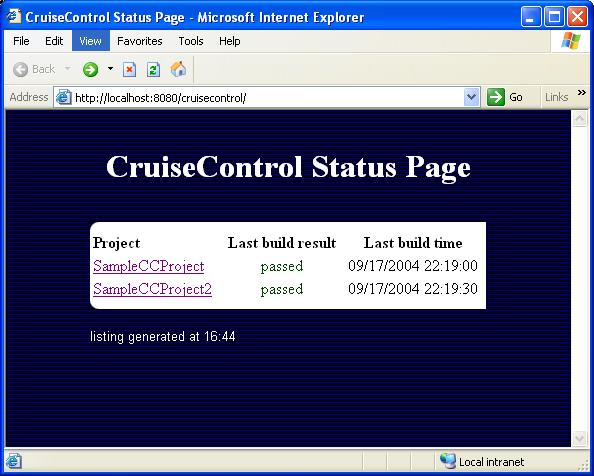

That's great, easy, simple...that's the maven way. Thanks to Lucio.

giovedì, aprile 03, 2008

Installing cruisecontrol as service on windows XP


Here the steps I have followed in order to install and run cruisecontrol as a windows service.

  1. Download cruisecontrol. I used the version 2.6.2 windows installer.
  2. Run the installer and check the windows service box.
  3. Remove the service using the command: $ sc delete CruiseControl
  4. Go to <CRUISE_HOME> folder and edit the wrapper.conf file and be sure it contains the following entry:

    # Application parameters.
    # Add parameters as needed starting from 1
    wrapper.app.parameter.1=CruiseControlWithJetty
    wrapper.app.parameter.2=-jmxport
    wrapper.app.parameter.3=8000
    wrapper.app.parameter.4=-configfile
    wrapper.app.parameter.5=config.xml
    wrapper.app.parameter.6=-rmiport
    wrapper.app.parameter.7=1099
    wrapper.app.parameter.8=-webport
    wrapper.app.parameter.9=8180

  5. I set the listening port of cruisecontrol to 8180, you can change the value as you like.
  6. Open a dos windows corresponding to <CRUISE_HOME> folder and type: $ wrapper -i wrapper.conf
  7. You should read the message: "wrapper | CruiseControl Service installed."
  8. Try to open a browser at the url: http://localhost:8180
  9. If you see the normal screen of cruisecontrol you have been lucky (not like me) and you are done!.
  10. ...Otherwise...If you see an error like 500 code open the wrapper.log under the log folder. Check for a message like:
    Unable to find a javac compiler;
    com.sun.tools.javac.Main is not on the classpath.
    Perhaps JAVA_HOME does not point to the JDK.

    proceed with the following item.
  11. Copy the file tools.jar to <JAVA_HOME>\jre\lib\ext folder. I found this solution here.
  12. Restart the service, it should be works.
  13. If still doesn't work... copy the tools.jar also under the folder /lib/ext

Maybe there is a faster and easier process to have cruisecontrol running as service. Anyway if you follow this guide you will successfully configure cruise as service.

venerdì, marzo 28, 2008

Do not make complex simple things

I can't say much more, just I was wondering why do people tend to complicate all the things that could be easily developed, why do I need a bus to go to work if I am alone in the bus, why do I need an expansive computer if I have only to use excel, and why do I need to define another language if I can use well known languages to do the same. So why I have to spend 1000 eur for a watch when I could spend 50 to achieve the same result, that is checking the time. Keep things easy and you would be loved, common patterns, common words. Ask yourself what are you going to produce, what the costumer wants and try to realize it as simple as you can, there is no way to invent things if they are already available, and most of them for free. Look at jugevents, it's one of the best web application in the world, and it works, it's easy to understand, and it uses common frameworks. I like working on it, just would like having more time to dedicate on it.

lunedì, febbraio 25, 2008

The king and the poisoned wine

There is a king, 8 bottles of wine, one of them contains poison. Who drinks the wine with poison dies after 24 hours. The king wants to figure out what is the bottle with poison in only 24 hours. Some prisoners of the kingdom are available as test drunker. You should save as much life (of the prisoners) as you can. How many tester you have to use in order to figure out what is the bottle containing wine, in 24 hours?
I had this question during the interview for a role as software engineer. You can find the solution reading the comments of this post.

martedì, febbraio 19, 2008

spring mail configuration using gmail as smtp server

If you are going to use gmail as smtp server in your spring configuration file remember to add the property mail.smtp.starttls.enable and set it to true.
Here the configuration of mailSender used in jugevents .

<!-- start mail section -->
<bean id="mailSender" class="org.springframework.mail.javamail.JavaMailSenderImpl">
<!-- here your smtp server -->
<property name="host"><value>smtp.gmail.com</value></property>
<!-- Parameters for SMTP AUTH -->
<property name="username"><value>yourUsername</value></property>
<property name="password"><value>yourPassword</value></property>
<property name="javaMailProperties">
<props>
<prop key="mail.smtp.auth">true</prop>
<!-- used by gmail smtp server -->
<prop key="mail.smtp.starttls.enable">true</prop>
</props>
</property>
</bean>

Fail doing it you will face into the following exception

org.springframework.mail.MailSendException; nested exception details (1) are: Failed message 1: com.sun.mail.smtp.SMTPSendFailedException: 530 5.7.0 Must issue a STARTTLS command first z37sm13522675ikz.1 at

Thanks to Lucio for the help.

mercoledì, gennaio 09, 2008

migration maven based project to using spring 2.5

As the new version of spring labelled 2.5 has been released, I wanted update all the dependencies in the parancoe project to the new version of spring.
I didn't find the 2.5 version for the following spring modules:

  • spring-dao
  • spring-hibernate3

At the first I used the old version, 2.0.7, for these two modules but I had many test failures. I have found the explanation of the reason of these missing files here.
These two modules have been renominated in the following way:

  • spring-dao to spring-tx
  • spring-hibernate3 to spring-orm

Here the section in your pom.xml maven file with the updated version of these two modules:


<dependency>
<groupId>org.springframework</groupId>
<artifactId>spring-orm</artifactId>
<version>2.5</version>
</dependency>

<dependency>
<groupId>org.springframework</groupId>
<artifactId>spring-tx</artifactId>
<version>2.5</version>
</dependency>

giovedì, gennaio 03, 2008

Deploy webapp on tomcat 6

Here, the steeps I have followed in order to deploy and starting my web application on tomcat 6.
I wanted deploy my webapp (hereafter I'll call it pippo), without moving the pippo.war on <tomcat-home>/webapps
Environment: Windows XP, JDK 1.6, tomcat 6.0

  • Create the folder <tomcat-home>/conf/Catalina/localhost (Note the capital letter C in Catalina)
  • Rename the contex.xml of your webapp as pippo.xml e copy it under the localhost folder just created.
  • Copy all the jdbc drivers that your webapp needs under the folder <tomcat-home>/lib
  • Exec $ catalina start from <tomcat-home>/bin
  • Open the browser and type http://localhost:8080/pippo

Here the context.xml of pippo webapp, renamed pippo.xml


<Context path="/pippo" reloadable="true"
docBase="C:/temp/pippo">
<Resource auth="Container"
driverClassName="org.hsqldb.jdbcDriver"
maxActive="5"
name="jdbc/pippoDS"
password=""
type="javax.sql.DataSource"
url="jdbc:hsqldb:hsql://localhost/pippo"
username="sa"/>
</Context>


Remember also to modify the tomcat-users.xml file in the <tomcat-home>/conf/ folder.
Here the file I use.

<?xml version='1.0' encoding='utf-8'?>
<tomcat-users>
<role rolename="manager"/>
<role rolename="tomcat"/>
<role rolename="admin"/>
<user username="tomcat" password="tomcat" roles="manager,tomcat,admin"/>
</tomcat-users>


Deployment descriptor for the basicwebappevolution


<Context path="/basicWebAppEvolution" reloadable="true"
docBase="/dev/parancoe/parancoe/examples/basicWebAppEvolution/target/basicWebAppEvolution">
<Resource auth="Container"
driverClassName="org.postgresql.Driver"
maxActive="5"
name="jdbc/dataSource"
password="mypassword"
type="javax.sql.DataSource"
url="jdbc:postgresql://localhost:5432/basicwebappevolution"
username="postgres"/>
</Context>


venerdì, dicembre 07, 2007

ubuntu references

In these days I have started using ubuntu on my laptop. I have completely removed winzoz so now I am forced to learn ubuntu for doing all the things I need.
I have found in internet many useful guides like how to configure ekiga in order to use voipstunt in ubuntu, and how to setting up the microphone.
Enjoy your ubuntu.

giovedì, novembre 22, 2007

Eclipse Trick to open Type View


If you use eclipse you can use [CTRL] + [SHIFT] +[T] to open the 'open type view' mask. This allow you to search a java class using auto-complete functionality. Try to do it. Thanks to Mike.